
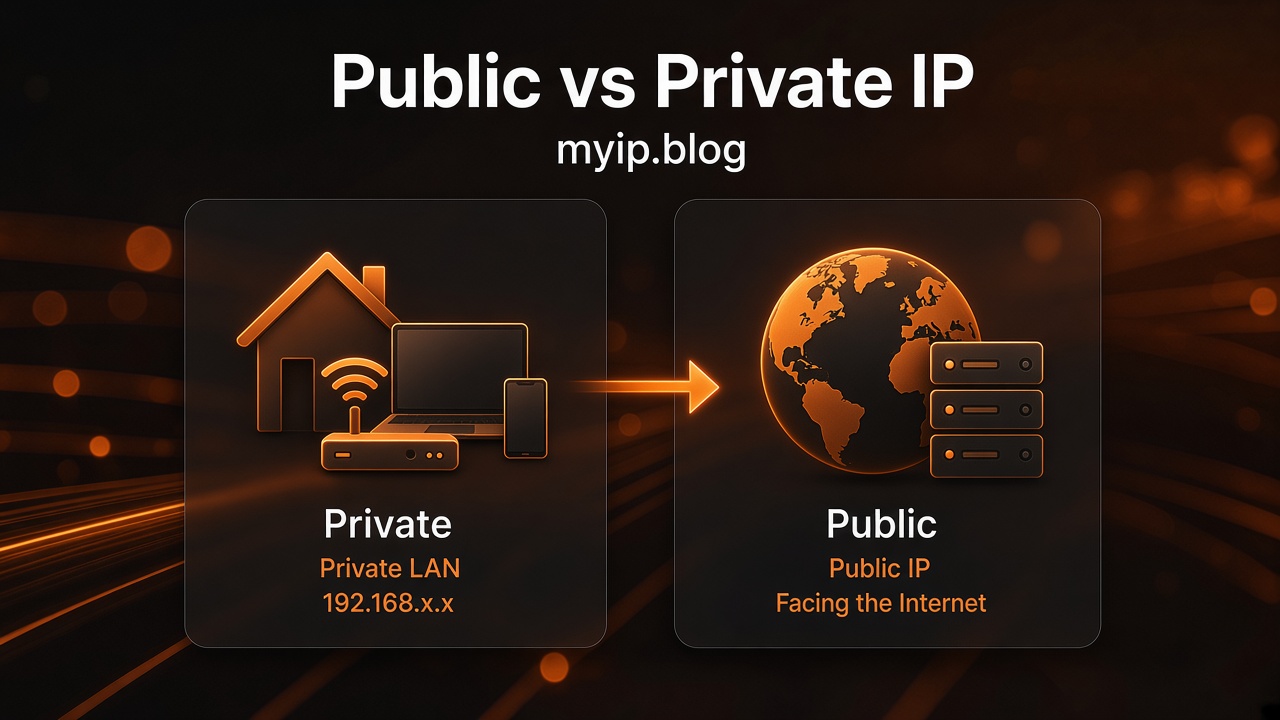
Public vs Private IP Addresses
Two kinds of IP addresses show up in everyday networking talk: public and private. They look similar as strings of numbers, but they serve different jobs. Confusing them is a common reason home setups and support chats go in circles.
In short: private IPs stay inside your home or office network. Public IPs are what the wider internet uses to reach your connection.
Private addresses, in plain words
Private IP ranges are reserved for local networks. Routers and devices use them freely without asking the global internet for a unique address. The main ranges you will see are:
- 192.168.x.x — very common on home Wi‑Fi. Your router might be
192.168.1.1or192.168.0.1, and phones, laptops, and printers get nearby addresses. - 10.x.x.x — often used in larger homes, offices, or some ISP equipment.
- 172.16.x.x through 172.31.x.x — another private block; less famous at home, still normal on private networks.
These addresses are not unique on the whole internet. Millions of homes can all use 192.168.1.50 for a laptop. That works because those packets are not meant to travel the public internet as-is.
If a site or app asks for “your IP” and you paste a 192.168… address, it usually cannot reach you from outside. That is a private address.
What your router does (NAT)
Most homes have one public IP (or a shared one from the provider) facing the internet, and many private IPs inside. The router sits in the middle.
NAT (network address translation) is the router’s bookkeeping: when your laptop requests a webpage, the router sends the request out using the public IP, then remembers which private device should get the reply. From the website’s point of view, traffic came from the public address. From your printer’s point of view, it only needs to talk to other devices on 192.168….
That split is why:
- Your printer and Wi‑Fi gadgets need private IPs — they mainly talk on the local network.
- Websites see a public IP — they are outside your home network.
- Opening a game server or camera to the internet often needs port forwarding or a similar setup, because private addresses are not directly reachable from outside.
Why allowlists and support ask for a public IP
When a company says “add your IP to the allowlist” or “tell us your IP so we can unlock access,” they almost always mean the public IP that their servers see when you connect.
Private addresses would not help them. Their systems never see your 192.168.1.20; they see whatever public address arrived with your request — often the same one myip.blog shows for that visit.
If you are on a VPN, the public IP they see may be the VPN exit address instead of your ISP’s. If you switch networks, the public IP can change, and the allowlist entry may need updating. For the basics of that public address itself, see What is a public IP address?.
CGNAT, briefly
Some providers use CGNAT (carrier-grade NAT): many customers share one public IPv4 address. Your home still has private IPs behind your router, and the provider has another layer of sharing before the open internet.
What that means for you:
- Sites still see a public IP, but it may be shared with other customers.
- Inbound connections to your home (hosting a service, some remote access) can be harder without special support from the provider.
- Your checker page may show an address that belongs to the provider’s shared pool, which is still the address websites see for that visit.
CGNAT is common on mobile data and some home fiber or cable plans. It is a capacity choice by the provider, not a fault on your laptop.
How to tell which kind you are looking at
Rough checks:
- Starts with
192.168.,10., or172.16.–172.31.→ almost certainly private. - Anything else in normal IPv4 form, or a typical IPv6 global address → likely public (or a VPN/public exit).
- On myip.blog, the address shown for the visit is the public (or VPN-exit) address the site received — not your printer’s private IP.
Your operating system’s network settings will list private addresses for Wi‑Fi and Ethernet. Those are useful for local troubleshooting. They are not what a remote website uses to identify your connection.
Where VPNs fit in this picture
A VPN does not replace your home private IPs for talking to a printer. It changes the public address many websites see, by sending your traffic out through another network first. If that distinction matters for privacy or allowlists, read How a VPN changes the IP websites see.
FAQ
Is 192.168.1.1 my public IP?
No. That is almost always your router’s private address on the local network. Public checkers will not show 192.168… as your internet-facing IP.
Why does my laptop show 192.168.x but myip.blog shows something else?
Both can be correct. The laptop address is private (local). myip.blog shows the public address for that visit after your router (and possibly your provider or VPN) has handled the request.
Can two devices have the same private IP?
Not safely on the same local network at the same time — that causes conflicts. Different homes can reuse the same private ranges without a problem.
Does IPv6 change private vs public?
IPv6 has its own ways to give devices local and global addresses. The same idea holds: some addresses stay local; global addresses are what the wider internet can use. Many people still see IPv4 public addresses on checkers even when IPv6 exists on the network.
Who assigns my private IPs?
Usually your router (via DHCP) or a fixed setting you chose. Your internet provider assigns the public side (unless a VPN or similar service is in the path).